


star-1
star-2
Feature spotlight

Geofences

Geofences creates virtual boundaries around work areas, allowing you to monitor equipment movement and enhance security through automated location-based alerts. Set up virtual perimeters around job sites, secure areas, or operational zones to track equipment activity.

Location-based monitoring and security for mobile equipment

Rigthand platformOperations
Editing Geofence
hero-decorhero-decor-dark
walkingwalking-dark

What it does

Creates virtual boundaries on a map that trigger alerts when equipment enters or exits defined areas. Monitors equipment movement in real-time and sends notifications to designated team members when boundary conditions are met.

5+

Workflow steps

2

Deep-dive modules

See how it works

From daily inspections to preventive maintenance—here's what your team does in Rigthand every day.

See all features below
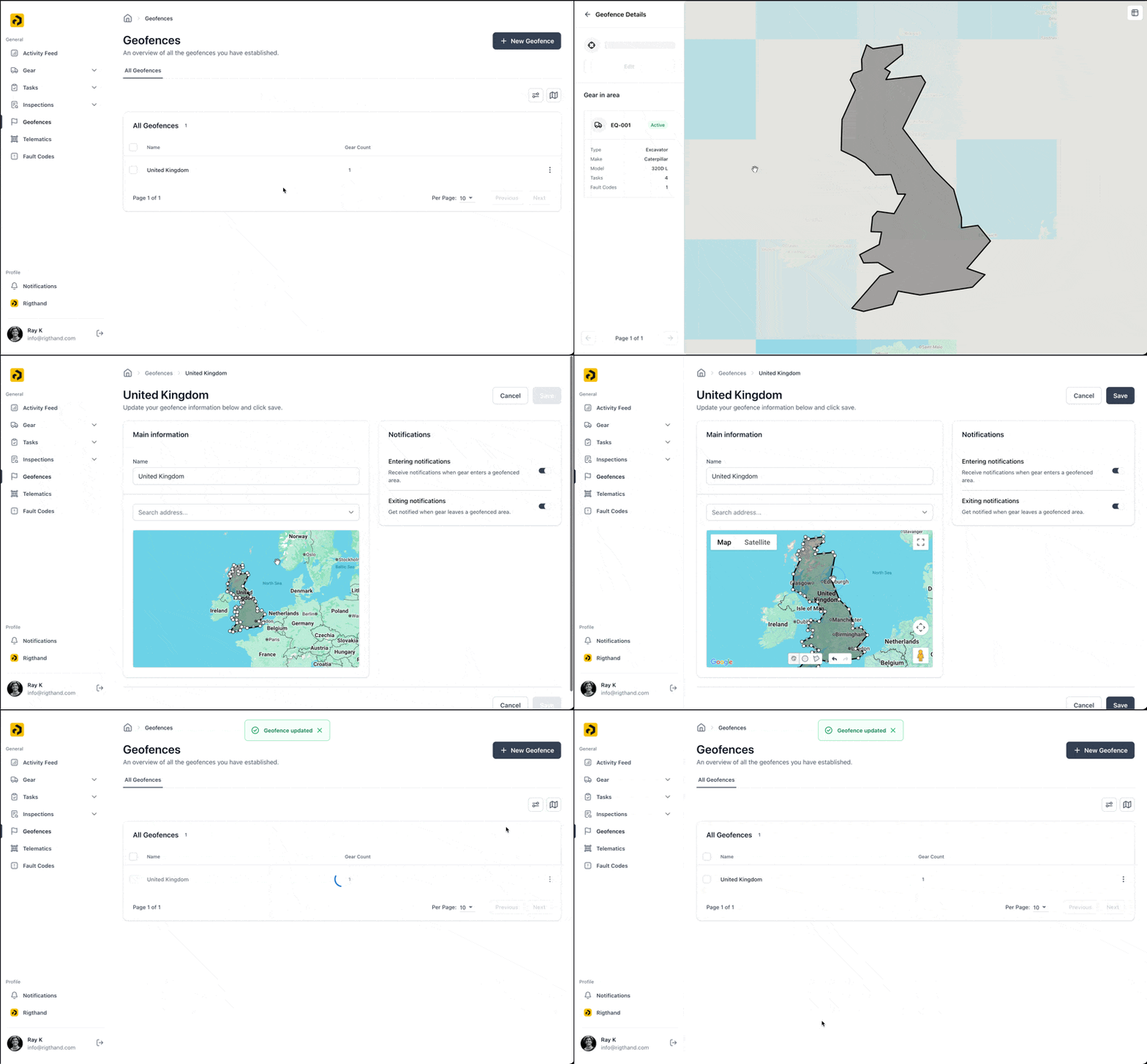
Editing Geofence
01.

Geofence Features

• Flexible Shapes: Draw circular boundaries or custom polygons to match your specific areas • Entry/Exit Alerts: Separate notifications for equipment entering and leaving boundaries • User Notifications: Alerts sent to assigned team members via mobile push or email • Multiple Boundaries: Create unlimited geofences for different purposes and locations • Historical Tracking: Review past boundary events for analysis and reporting
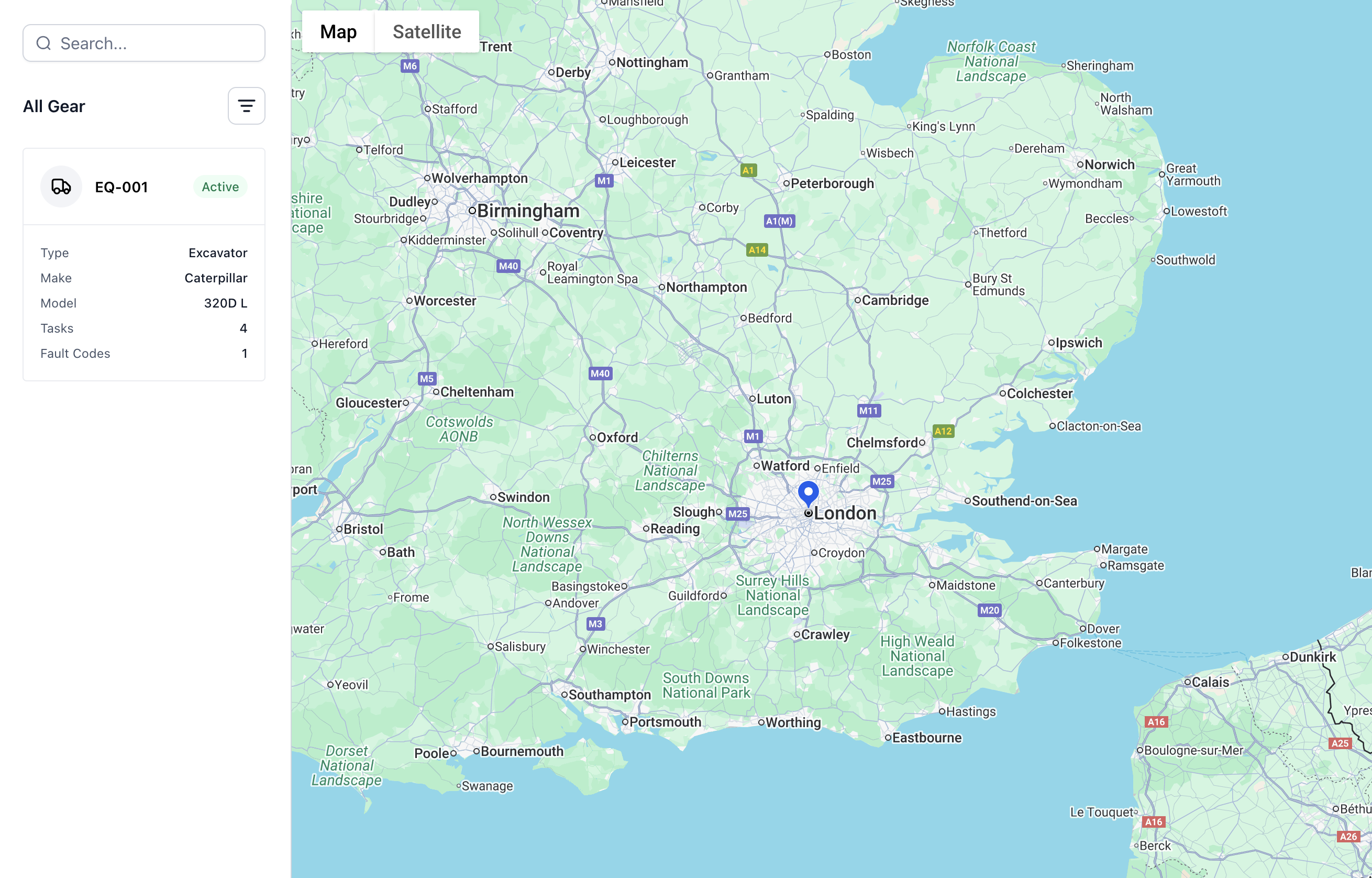

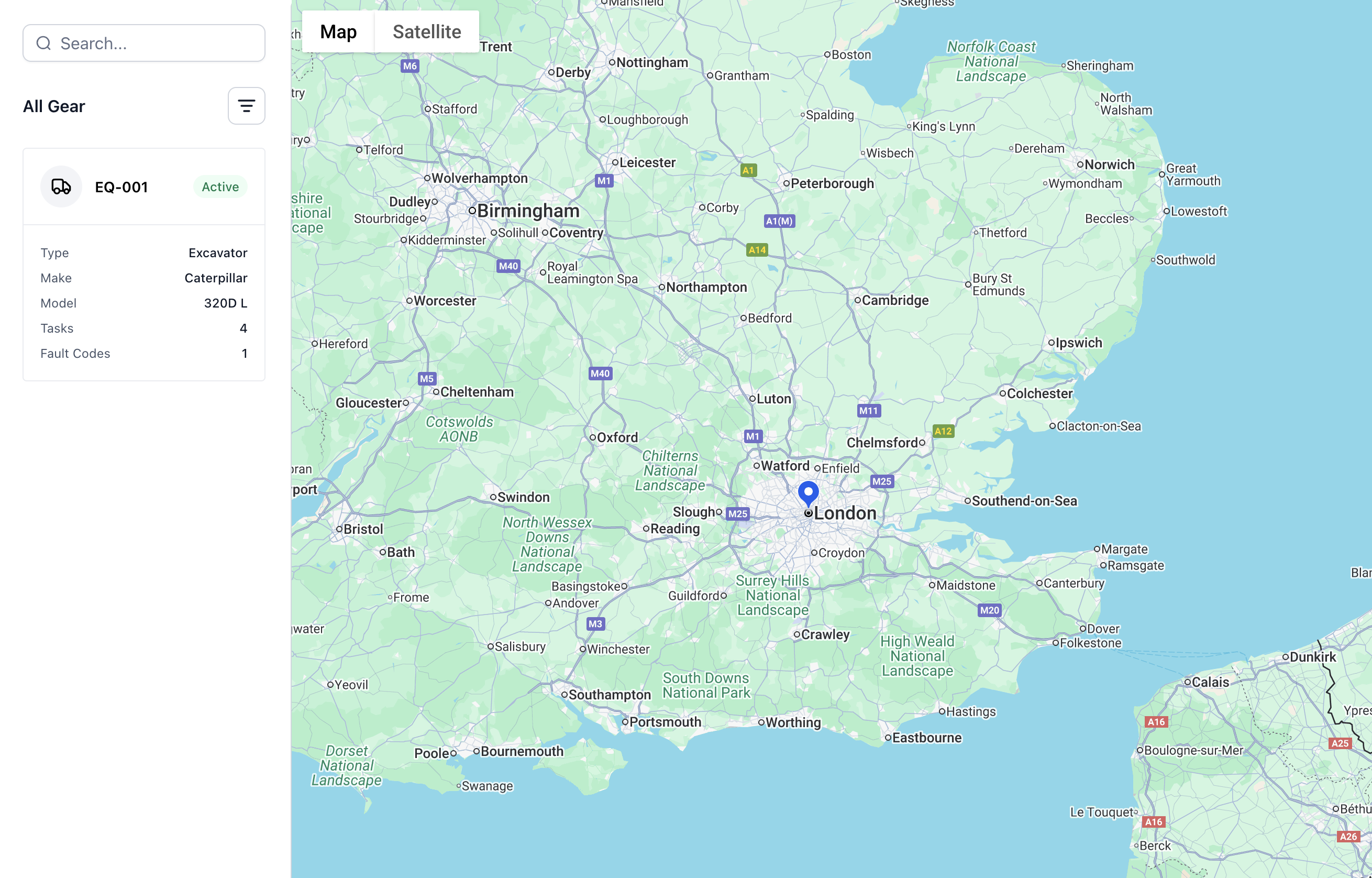
Gear's Location
02.

Common Use Cases

• Job Site Security: "Alert me when the excavator leaves the construction site" • Utilization Tracking: "Show me which equipment worked in the north quarry this week" • Safety Zones: "Ensure heavy equipment stays out of the pedestrian area" • After-Hours Monitoring: "Alert security if any equipment moves during off-hours" • Multi-Site Management: "Track which job site each piece of equipment is currently working"

How to use it

Job Site Security

Alert supervisors when equipment leaves authorized work areas

Utilization Tracking

Monitor which areas of a job site are being actively worked

Safety Enforcement

Ensure equipment stays within approved operational zones

Theft Prevention

Immediate alerts for unauthorized equipment movement

Productivity Analysis

Understand equipment movement patterns for optimization

Everything you need for your equipment.

Activity Feed

See every action across your fleet in real time—one simple feed for everything happening.

Asset Management

Track all your equipment in one place—specs, location, and maintenance history.

Asset Dashboard

Get a complete view of each piece of equipment—current status and full history together.

Tasks (Work Orders)

Manage work orders digitally. No more paperwork, no more hassle.

Inspections

Replace paper forms with digital checklists. Simple to use, easy to find later.

Custom Fields

Add your own data fields to assets and tasks. Make it work your way.

Custom Views

Save your favorite filters and layouts. Find what you need faster.

Telematics Integration

Connect your equipment to pull in location, usage, and performance data automatically.

Fault Codes

Catch equipment problems early with automatic fault code tracking and alerts.

Geofences

Set virtual boundaries and get alerts when equipment moves where it shouldn't.

Notification Center

Keep everyone in the loop with smart notifications sent at the right time.

Offline Capabilities

Work without internet. Everything syncs when you're back online.

Zapier Integration

Connect Rigthand to 5,000+ apps. Automate workflows and skip the duplicate data entry.

Automations

Set up rules to handle repetitive tasks. Let the system do the busy work.

thinkingthinking-dark
send-messagesend-message-dark
star-2
star-1

Ready to get started?

Contact us to learn more about this feature and how it can help your operation.

Contact us